The landscape of software quality assurance has undergone significant transformation in recent years. As applications grow in complexity, the need for efficient, reliable testing methods has become paramount. This article explores the evolution of test automation tools, focusing on Cypress.io and its impact on streamlining the quality verification process.
The Historical Context of Test Automation
Traditionally, initiating a test automation project was a complex endeavor. It required extensive planning, from identifying suitable test cases to selecting programming languages and libraries. This process often involved:
1. Defining a comprehensive automation framework
2. Researching and selecting appropriate tools and libraries
3. Investing significant time in learning new technologies
The complexity of this process frequently led to diminished enthusiasm for adopting automation within project teams. As the field evolved, new tools emerged to address these challenges. These modern solutions were designed with a focus on simplifying the automation process, making it more accessible to development and QA teams alike.
Introducing Cypress.io: A Paradigm Shift in Test Automation
Cypress.io represents a new generation of front-end testing tools. It defines itself as a solution that addresses "the key pain points developers and QA engineers face when testing modern applications."
Key Features of Cypress.io
- All-in-one testing solution
- Rapid setup and initialization
- Intuitive user interface
- Built-in debugging capabilities
Practical Implementation: Getting Started with Cypress
To effectively utilize Cypress, the following specifications are recommended:
- Operating System: macOS 10.15+, Linux (Ubuntu 20.04+, Fedora 39+, Debian 11+), or Windows 10+
- CPU: Minimum 2 CPUs, with additional cores for video recording and external processes
- Memory: 4GB minimum, 8GB+ for extended test runs
- Node.js: Version 18.x, 20.x, 22.x or above
Installation and Setup Process
- Create a project directory
- Initialize a Node.js project
- Install Cypress via npm
- Launch Cypress using npx
Creating Your First Test
Once installed, Cypress provides a user-friendly interface for creating and managing tests. Users can choose between E2E Testing and Component Testing approaches. For this study case, E2E Testing will be selected.
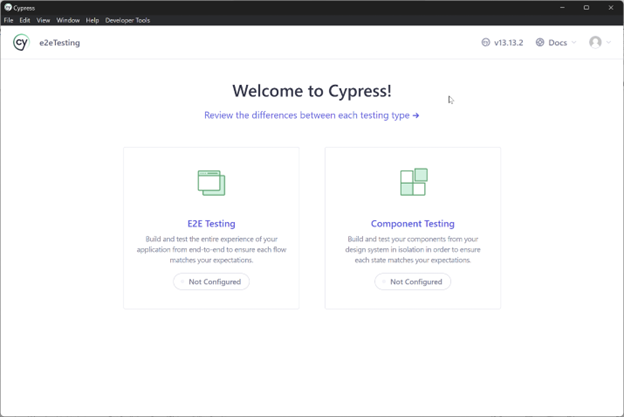
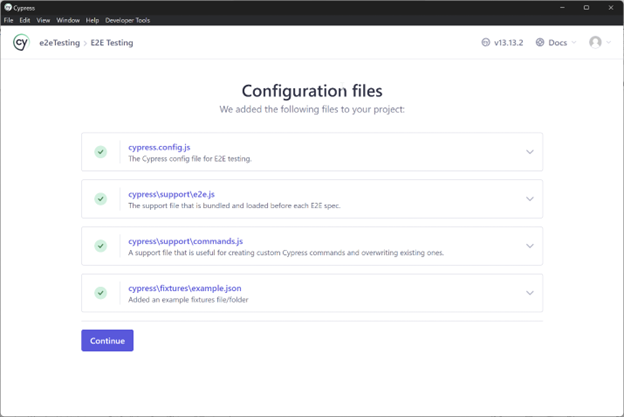
Once the test approach is selected, the following screen will appear. This screen displays several files that will be generated, including configuration files and examples that can be used to begin automating tests.
Cypress will then identify the supported browsers available on the computer. In this example, Chrome will be used. Note: If a browser is not installed on the machine running Cypress, Electron is included by default.
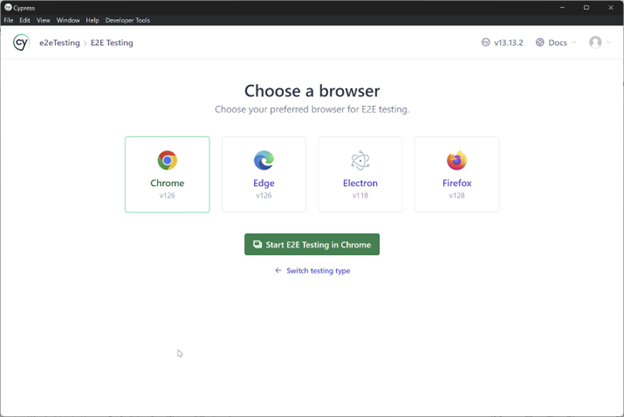
By pressing the "Start E2E Testing in Chrome" the following screen will appear.
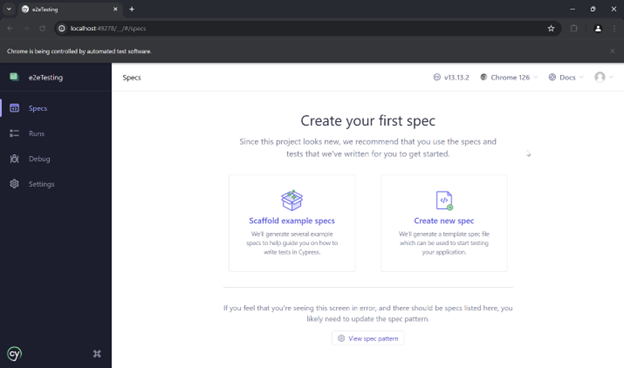
By selecting "Create new spec" the section for changing the directory path where the scripts will be stored in the project will be displayed. The default path suggested by Cypress will be used.
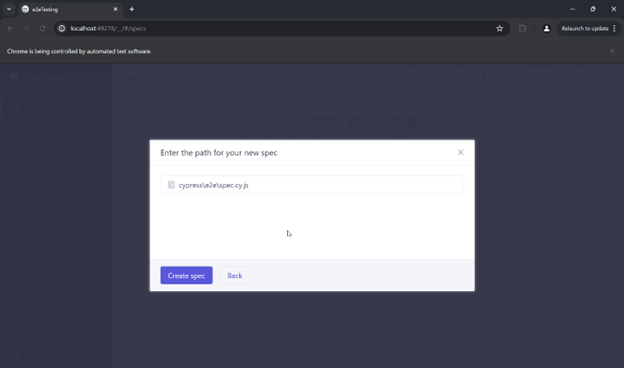
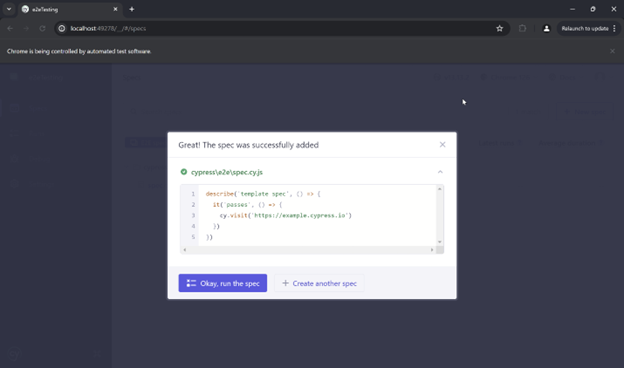
By pressing the "Create Spec" button, the spec.cy.js file is created with a basic template that can be used as a starting point.
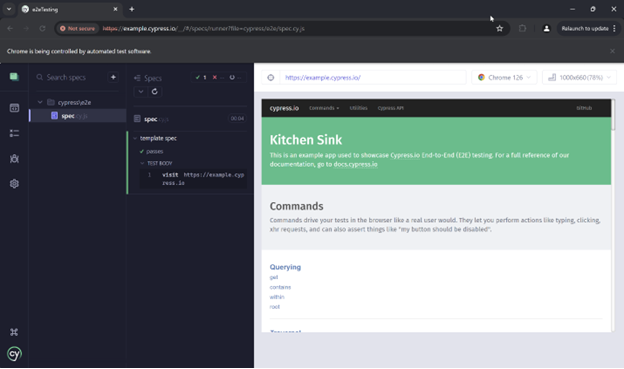
Running the first spec will demonstrate Cypress in action.
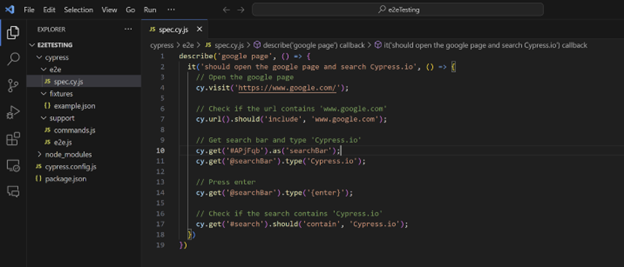
Testers are now ready to convert a test case into an automated script using Cypress. Consider the following test scenario for automation:
1. Open the Google search page
2. Enter the search term "Cypress.io"
3. Verify search results are displayed upon pressing Enter
Editing the first test is quite simple. Upon examining the contents of the spec.cy.ts file, one will see something like the image below. The file can be modified to adapt it to the test scenario.
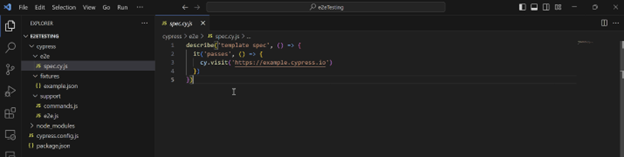
The test file would look like the following image.
Conclusion
The evolution of test automation tools, exemplified by Cypress.io, has fundamentally altered the landscape of software quality assurance. By simplifying the automation process, these tools have made it possible for teams to implement robust testing strategies more efficiently and effectively. As software complexity continues to increase, the role of such tools in maintaining and improving software quality will only grow in importance.
.jpg)